The True Cost of Cyber Essentials. From £320, right? Wrong. We take a real 10-person UK business through certification and the cost is actually £13k to £30k.
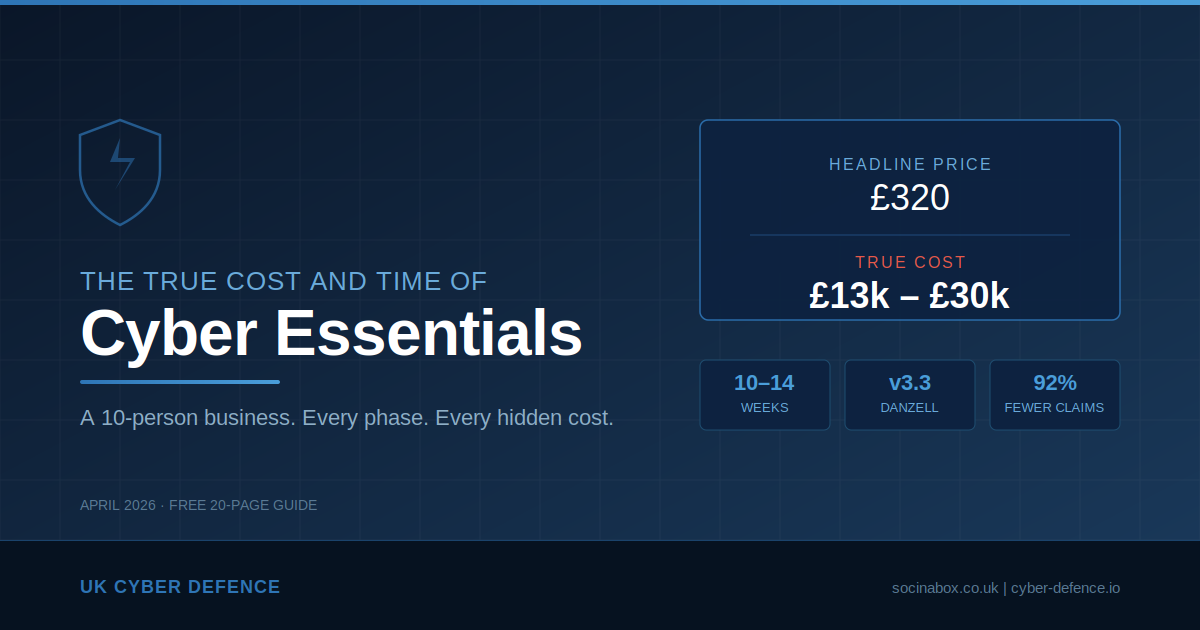
Search for “Cyber Essentials cost” and you will find a reassuring answer: certification starts from £320 plus VAT for micro-organisations, or £440 plus VAT for small businesses with 10 to 49 employees. The IASME website presents a clean, tiered pricing structure. It is accurate — but it is deeply misleading.
The certification fee covers the self-assessment questionnaire, an assessor’s review, one resubmission opportunity, a digital certificate valid for 12 months, and a listing on the NCSC directory. What it does not cover is the work required to actually pass.
For a business that has never formally addressed its cyber security posture, the certification fee is typically less than 5% of the total first-year cost. The remaining 95% is remediation, hardware, licensing, documentation, and time.
This guide provides a transparent, line-by-line breakdown of what that journey actually involves. We take a fictional but entirely realistic 10-person UK business through every stage — from the moment they decide to pursue Cyber Essentials to the day the certificate arrives — and we total up every penny along the way.
Everything in this guide reflects the Cyber Essentials v3.3 requirements, codenamed Danzell, which came into force on 27 April 2026.
Meet Acme Services Ltd
To make this practical, we follow a fictional company through the entire process. Acme Services is a 10-person professional services business. Their setup will be immediately recognisable to thousands of UK small businesses:
- 10 staff working from a single office with occasional home working
- Windows PCs on desks — a mix of ages, some running Windows 10, some Windows 11
- A couple of network printers still on factory default passwords
- Cloud-hosted VoIP phones on each desk
- Microsoft 365 Business Standard for email, documents, and Teams
- An outsourced IT support company on a basic managed service contract
- An ISP-provided router acting as the office firewall
- No formal IT policies, no multi-factor authentication, no documented procedures
- Staff using personal mobile phones to access work email, Teams, and calendars
Acme’s managing director has been told by a potential client that they need Cyber Essentials to be considered for a contract. She searches online, sees “from £320”, and assumes it is a quick form and a badge.
What follows is rather different.
What Is Cyber Essentials and What Changed in 2026?
Cyber Essentials is a UK Government-backed certification scheme managed by the National Cyber Security Centre (NCSC). It assesses five technical controls that together address the most common internet-based cyber threats:
- Firewalls — controlling traffic between the business network and the internet
- Secure Configuration — removing unnecessary software, changing default credentials, hardening settings
- User Access Control — managing who has access to what, enforcing least privilege
- Malware Protection — ensuring anti-malware is installed, active, and configured
- Security Update Management — keeping all software patched within defined timeframes
These sound straightforward. In practice, they touch every device, every user, and every cloud service in the business.
The v3.3 Changes That Matter
The April 2026 update introduced several changes that significantly raise the bar:
- MFA is now an automatic fail: If a cloud service supports multi-factor authentication and it is not enabled for all users, the assessment fails immediately. This applies whether MFA is free, bundled, or only available on a paid plan. No exceptions.
- All cloud services are in scope: A formal definition of “cloud service” has been introduced. Any service that stores or processes organisational data must be included. Cloud services cannot be excluded from scope.
- 14-day patching is an automatic fail: Critical and high-risk patches must be applied within 14 days across operating systems, applications, router firmware, and browser extensions.
- Stricter scoping rules: Organisations must justify any exclusions with documented evidence of technical segregation. Scope descriptions now appear on the certificate.
Phase 1: The Gap Analysis (£750 – £1,500)
Before any work begins, someone needs to assess Acme’s current state against all five controls. This is the gap analysis — the foundation of the entire process.
What It Typically Finds
For a business like Acme, the gap analysis is usually an uncomfortable experience. Here is what emerges:
Firewalls: The ISP-supplied router has a firewall, but the admin password is the factory default. Remote management may be enabled. UPnP is likely active. There is no documented understanding of which ports are open or why they are open.
Secure Configuration: PCs were set up years ago with the original user having local administrator rights. Default accounts may still be active. Screen lock timeouts are not configured. Printers and VoIP handsets are on factory default credentials.
User Access Control: Everyone logs in with the same privilege level. There is no separation between day-to-day accounts and admin accounts. MFA is not enabled on Microsoft 365. Several shared accounts exist for the company email address, accounting software, and social media.
Malware Protection: Windows Defender is running but has never been verified as properly configured. Tamper protection may be disabled.
Security Update Management: Some PCs are months behind on Windows updates. Several machines are still running Windows 10, which reached end of life on 14 October 2025. Under Cyber Essentials rules, unsupported software is an automatic fail. Third-party applications are not patched systematically. The router firmware has likely never been updated.
The gap analysis typically costs £750 to £1,500 when done by the IT support company or an independent consultant, and takes 1 to 2 weeks including scheduling and the written report.
Phase 2: Remediation — Where the Real Money Goes
This is where the “from £320” narrative falls apart. The gap analysis produces a list of issues that must be resolved before the business can pass. For Acme, the remediation work is substantial.
Windows 10 to Windows 11 (£3,150 – £5,850)
Windows 10 reached end of life on 14 October 2025. Any machine still running it will cause an automatic assessment failure.
For Acme’s 10 PCs, bought over the past 5 to 6 years, the realistic picture is:
- 7 machines are compatible with Windows 11 (they have TPM 2.0 and sufficient hardware). The upgrade is free from Microsoft, but the IT company needs to back up each machine, run the upgrade, verify software compatibility, and test. Budget 1.5 to 2 hours per machine at £100 to £150 per hour. Cost: £1,050 to £2,100.
- 3 machines are too old (no TPM 2.0, insufficient RAM). These must be replaced. A business-grade desktop runs £500 to £800 each, plus 2 to 3 hours of setup, data migration, and software installation per machine. Cost: £2,100 to £3,750.
Firewall Replacement (£450 – £1,100)
The ISP router is unlikely to meet the requirements. It needs replacing with a proper business-grade firewall appliance — something like a DrayTek Vigor or Ubiquiti Dream Machine — with documented, configurable rules and firmware update support.
Hardware runs £150 to £500. Configuration and installation by the IT company adds £300 to £600.
MFA Deployment (£400 – £1,200)
Under v3.3, this is non-negotiable. Microsoft 365 supports MFA on every plan, so it must be enabled for every user. Failure to do so is an automatic fail with no opportunity to remediate within that assessment cycle.
Deploying MFA involves enabling it across all M365 accounts, setting up the Microsoft Authenticator app on every staff member’s phone, creating break-glass emergency accounts, and training staff. This is typically a half to full day of IT company project work.
For granular Conditional Access policies and device management, the business would need to upgrade to Microsoft 365 Business Premium at approximately £17.00 per user per month, compared to roughly £9.40 for Business Standard. That is an uplift of approximately £760 per year for 10 users.
Secure Configuration and Hardening (£1,200 – £3,600)
This covers a wide range of changes across all devices:
- Removing local administrator rights from all standard user accounts
- Creating separate admin accounts for IT support access
- Setting screen lock timeouts to a maximum of 15 minutes
- Disabling auto-run and auto-play
- Configuring Windows Defender properly (tamper protection, real-time scanning, automatic sample submission)
- Changing default passwords on every printer, VoIP handset, switch, and network device
- Reviewing M365 tenant settings (external sharing, guest access, mailbox forwarding rules)
- Setting up and configuring patch management (Windows Update for Business or Intune)
This is typically 1 to 2 days of IT company project work at £100 to £175 per hour, plus a half day for patch management configuration.
VoIP and Website Security (£200 – £600)
The cloud-hosted VoIP platform is a cloud service in scope. Its admin portal needs MFA. Handset firmware must be current. The company website CMS, domain registrar account, and DNS management also need MFA enabled and credentials secured.
Phase 3: The BYOD Minefield (£2,260 – £4,910)
This is one of the most politically and financially painful aspects of Cyber Essentials for a small business, and it is the cost that almost nobody anticipates.
The Critical Distinction
Under Cyber Essentials, a personal phone used exclusively for MFA (running the Authenticator app) and native voice calls or SMS is out of scope.
The moment that same phone has Outlook installed, or Teams, or OneDrive, or the staff member has accessed webmail through the phone’s browser — that device is fully in scope. It must meet all five technical controls, exactly the same as a company-owned PC.
In Acme’s case, the realistic picture is that 8 or 9 staff members have personal smartphones with work email and Teams installed. Under v3.3, every one of those phones is an in-scope device.
The MFA Paradox
There is a cruel irony here. The business is requiring staff to use their personal phones for MFA to secure the business. But the moment those phones touch any business data beyond the authenticator app, they become in-scope devices that need managing. Many businesses accidentally bring phones into scope by enabling MFA and then thinking “while we are at it, let us put Outlook on there too.”
What “In Scope” Means for a Personal Phone
Each BYOD phone must demonstrate:
- A PIN, password, or biometric lock enabled with auto-lock configured
- A supported, fully patched operating system (phones too old to receive updates are non-compliant)
- No jailbroken or rooted devices
- Apps installed only from official stores
- Separation between personal and business data
Notably, there is no Cyber Essentials-compliant antivirus for iOS or Android in the traditional sense. The scheme recognises this, which makes the other controls (current OS, official app stores, not jailbroken) even more critical.
The Unsupported Phone Problem
In a 10-person company, it is realistic that 2 to 3 staff members carry phones that are 4 to 5 years old and can no longer receive the latest operating system updates. Under Cyber Essentials, these devices are non-compliant because they run unsupported software. The business cannot compel an employee to buy a new personal phone. The options are: the company funds replacement devices (£150 to £350 each), or those staff members have all business apps removed and use MFA only.
Your Three Options
Option A — Mobile Application Management (MAM): Deploy Microsoft Intune via M365 Business Premium. MAM manages only the business apps (Outlook, Teams, OneDrive) and the data within them, without controlling the employee’s personal content. The business can enforce PINs on work apps, prevent copy-paste between work and personal apps, and remotely wipe only business data if employment ends. This is the most practical option for most small businesses, but it requires the M365 licence uplift, configuration by the IT company (£800 to £1,500), and a formal BYOD policy.
Option B — Issue Company Phones: Avoid the BYOD headache entirely by giving everyone a company-owned device. Full control, no awkward conversations, but first-year costs of £3,700 to £8,500 for 10 staff including hardware, contracts, and setup.
Option C — Ban BYOD: Remove all business apps from personal phones. Staff access business systems only from managed PCs. Near zero direct cost, but the operational and cultural impact is severe. Staff can no longer check email outside the office.
The Human Conversation
Whichever option Acme chooses, there is a conversation to be had with every member of staff. Even MAM, which only touches business apps, raises questions about privacy. “Can you see my texts? Can you track my location?” The answers are no, but the perception is hard to shift. A written BYOD policy is essential, ideally with a signed acknowledgement from each staff member.
Phase 4: Shadow IT — The Cloud Services You Don’t Know About (£800 – £2,200)
Under v3.3, all cloud services that store or process organisational data are in scope and cannot be excluded. The official line may be “we use Microsoft 365.” The reality in most small businesses is rather different.
Dig beneath the surface and you will almost certainly find:
- Accounting software — Xero, QuickBooks, FreeAgent, or Sage. All cloud services. All need MFA enabled if available (and they all offer it).
- CRM platforms — HubSpot, Monday.com, Pipedrive. Often adopted informally by one person and never formally sanctioned.
- File sharing — Staff sending large files via WeTransfer, Dropbox, or personal Google Drive because “OneDrive was being slow.”
- Communication — WhatsApp groups used for business discussions. That is organisational data being processed on personal devices via a cloud service.
- HR and payroll — BrightPay, BreatheHR, or similar platforms holding the most sensitive employee data in the organisation.
- Social media — Company LinkedIn, Facebook, or Instagram accounts accessed through personal logins, often without MFA.
- Online banking — A cloud service processing organisational data.
Every one of these services needs to be identified, declared in scope, and confirmed to have MFA enabled. Under v3.3, if MFA is available and not enabled, it is an automatic fail. Some of these services only offer MFA on paid plans, which means the business may need to upgrade its subscriptions.
Shared Accounts
Small businesses are notorious for shared credentials. A shared info@ mailbox that three people access with one password. A single login for the accounting software because the licence is per-seat. The company social media password on a sticky note. A generic “admin” account the IT company uses remotely.
Cyber Essentials requires individual user accounts. Every person must have their own credentials. Untangling shared accounts means converting shared mailboxes, buying additional software seats, and potentially implementing a password manager (£3 to £5 per user per month).
Third-Party Access
The external bookkeeper, marketing freelancer, web developer, and the IT support company itself all access Acme’s systems. The business must demonstrate appropriate access controls: individual accounts, MFA, minimum necessary access, and prompt account disabling when relationships end.
A common finding: the web developer who built the company website three years ago still has admin credentials that have never been changed. The previous bookkeeper’s login is still active.
Phase 5: The Documentation Burden (£800 – £2,500)
For a business that has operated on informal processes and “Dave knows how the IT works,” the documentation requirements of Cyber Essentials are a culture shock. The Danzell question set asks specific, detailed questions that require genuine documented evidence.
This is the work that the IT company usually cannot do for you. They can configure the firewall, but they cannot write your acceptable use policy. The documentation sits at the intersection of business operations and IT.
What Actually Needs Documenting
Scope Definition and Asset Inventory: A detailed description of all in-scope infrastructure (which now appears on the certificate), a complete inventory of every device by make, model, operating system, and purpose, and formal declaration of all legal entities. For anything excluded, a written justification with evidence of technical segregation.
Firewall Rule Documentation: Every firewall rule allowing inbound traffic must be individually documented with what it does, a specific business justification, who authorised it, and a review date. Under v3.3, the documented business justification is not optional. Rule sprawl — where firewall rules accumulate over years without review — is a common failure.
User Access Control Policy: The full lifecycle of user accounts: how accounts are created when someone joins (joiners), how access is reviewed when someone changes role (movers), how quickly accounts are disabled when someone leaves (leavers), who has admin accounts and why, the password policy and how it is technically enforced, and the MFA policy.
Patch Management Policy: How patches are identified, the 14-day timeframe for critical updates, who is responsible, how compliance is evidenced, the process for firmware updates on non-PC devices, and how exceptions are handled.
BYOD Policy: Which personal devices are permitted, what controls must be in place, what the company can and cannot do to a personal device, what happens when employment ends, the consequences of non-compliance, and staff consent.
Acceptable Use Policy: How staff are expected to use company systems, restrictions on personal use, prohibition on unauthorised software, rules around removable media, social media usage, and consequences of violation.
Cloud Service Register: Every in-scope cloud service with its MFA status, shared responsibility model, and admin account details.
Backup Procedure: What is backed up, how frequently, where backups are stored, retention periods, who is responsible, and when restoration was last tested.
Incident Response Procedure: Who staff report suspected incidents to, the escalation path, and how to contact the cyber liability insurance helpline.
The Real Effort
For a business starting from zero, the total documentation effort is approximately 22 to 43 hours — roughly 3 to 6 days of someone’s time. For a small business owner, that someone is usually them. A CE consultant can draft policies for £500 to £2,000, and the IT company will need to contribute £300 to £1,000 for the technical documentation.
Phase 6: Backups — The Essential Extra
Backups are not one of the five assessed Cyber Essentials controls, and the business will not fail its assessment for lacking them. However, v3.3 has deliberately elevated backup guidance, and achieving Cyber Essentials without addressing backups is like fitting smoke alarms in every room but removing all the fire extinguishers.
The Microsoft 365 Misconception
This is one of the most dangerous misunderstandings in small business IT. Acme’s managing director assumes “it is all in the cloud, Microsoft backs it up.” This is wrong.
Microsoft’s Shared Responsibility Model makes it clear: Microsoft guarantees service availability (the platform stays online). The organisation is responsible for data protection (recovering from accidental deletion, malicious deletion, ransomware, or a compromised admin account).
A staff member accidentally deletes a critical SharePoint folder. A disgruntled leaver wipes their OneDrive before walking out. Ransomware encrypts files that sync to the cloud. A compromised admin account purges retention policies before the ransomware launches. In all of these scenarios, Microsoft will not recover your data beyond its limited retention windows.
The Recommended Approach
Tier 1 — USB Rotation (Air-Gap Backup): Buy 5 encrypted USB hard drives for roughly £30 to £50 each. Label them for daily or weekly rotation. A designated person connects the drive, backs up critical local data (accounting databases, local documents), disconnects it, and locks it in a cupboard or safe. Ransomware cannot encrypt a drive that is not connected to anything. This is a true air gap — the simplest and most effective last line of defence against ransomware available to a small business.
Tier 2 — Cloud M365 Backup: Deploy a third-party backup service (Veeam, Acronis, Datto, or similar) that takes automated daily snapshots of every mailbox, OneDrive, SharePoint site, and Teams channel. Most modern solutions offer immutable storage — the backup cannot be altered or deleted even by a compromised admin. Cost is typically £2 to £5 per user per month.
The recommended approach for a 10-person business is both tiers combined: USB rotation for critical local data and cloud backup for Microsoft 365. Total cost: approximately £300 to £500 one-off, plus £400 to £600 per year.
Phase 7: Bedding In (£400 – £1,000)
This is the phase nobody budgets for, but it is critical. Acme cannot implement all the changes on Monday and submit the assessment on Tuesday. Controls need time to demonstrate that they are functioning in practice.
Allow 2 to 4 weeks minimum.
During this period:
- MFA friction: Expect a spike in support calls. Staff forget their phones, get confused by authenticator prompts, or panic when they cannot log in.
- Patch disruption: Updates occasionally break things. A printer stops working. A software update conflicts with the accounting package.
- Admin rights pushback: Staff discover they can no longer install personal software. This is precisely the point, but it generates complaints.
- Firewall teething issues: New rules may block legitimate traffic that needs whitelisting.
- Extra IT support costs: If Acme is on break-fix support, each call costs money. If managed, the IT company absorbs it — but their goodwill has limits.
Rushing this phase is how businesses fail the assessment. The assessor wants to see evidence that controls are functioning, not that they were configured yesterday.
Phase 8: The Self-Assessment (£728 – £1,028)
With remediation complete and controls bedded in, Acme is finally ready to complete the Danzell self-assessment questionnaire.
- Register on the IASME portal and pay the £440 plus VAT (£528) assessment fee
- Complete the Danzell question set — covering scope, all five controls, and detailed information about every in-scope device and cloud service
- A board member or equivalent must personally sign a declaration confirming all answers are accurate and truthful
- Submit to the assessor (typically reviewed within 3 to 5 working days)
- If issues are found, there is usually a 2-day window to correct and resubmit at no extra cost
- Certificate issued, valid for 12 months
The Director’s Declaration
This is not a formality. If the business claims all devices are patched within 14 days and an incident later reveals they were not, the declaration could become relevant in legal proceedings, insurance claims, or regulatory investigations.
The UK’s Cyber Security and Resilience Bill, currently working through Parliament, is expected to introduce greater personal accountability for directors regarding cyber security. The direction of travel is clear — signing that declaration should prompt a serious question: is the business genuinely confident that everything stated is true?
What If They Fail?
For basic Cyber Essentials, there is a 2-day window to correct and resubmit. But the IT company’s time to fix whatever caused the failure is not free. If the problem is fundamental — PCs still on Windows 10, MFA not enabled on a cloud service — it cannot be fixed in 48 hours. Acme would need to withdraw, remediate, and reapply, paying the assessment fee again.
For Cyber Essentials Plus, failure means paying for an entirely new assessment at £1,400 to £2,250 or more.
The Cost Nobody Invoices: The Owner’s Time
This is arguably the largest real cost for a 10-person business. Acme’s managing director is personally involved in:
- Researching CE and deciding to pursue it (2 to 4 hours)
- Meeting with the IT company or consultant (2 to 3 hours)
- Reviewing the gap analysis and approving expenditure (2 to 4 hours)
- Communicating changes to staff and handling pushback (3 to 5 hours)
- Reviewing, adapting, and approving policies (4 to 8 hours)
- Completing or reviewing the self-assessment questionnaire (4 to 8 hours)
- Understanding and signing the declaration (1 to 2 hours)
- Handling any resubmission issues (2 to 4 hours)
That is 20 to 38 hours of the owner’s time over 2 to 3 months. For a business owner generating £50 to £100 per hour, that is £1,000 to £3,800 in opportunity cost — never invoiced, never budgeted, but very real.
The Full Cost Summary
Here is every cost, consolidated. The low estimate assumes a co-operative IT company, hardware that mostly supports Windows 11, and a hands-on owner willing to write policies. The high estimate assumes older hardware, a full MAM deployment, a less experienced IT company, and professional consultancy.
Year 1 Costs
| Cost Item | Low | High |
|---|---|---|
| Gap analysis | £750 | £1,500 |
| Windows 11 upgrades and PC replacements | £3,150 | £5,850 |
| Firewall replacement | £450 | £1,100 |
| Secure configuration, hardening, patch management | £1,200 | £3,600 |
| MFA deployment | £400 | £1,200 |
| BYOD remediation (MAM, policy, training) | £2,260 | £4,910 |
| Shadow IT audit and licence upgrades | £400 | £1,000 |
| Shared account and third-party access cleanup | £400 | £1,200 |
| VoIP and website security | £200 | £600 |
| Backup implementation | £700 | £1,200 |
| Documentation and policies | £800 | £2,500 |
| Bedding in (support + productivity) | £400 | £1,000 |
| CE assessment fee and support | £728 | £1,028 |
| Owner’s opportunity cost | £1,000 | £3,800 |
| Year 1 Total | £12,838 | £30,488 |
Ongoing Annual Costs
| Cost Item | Low | High |
|---|---|---|
| CE renewal fee | £528 | £528 |
| M365 Business Premium licence uplift | £760 | £760 |
| Cloud M365 backup service | £400 | £600 |
| Additional SaaS licences (MFA-enabled tiers) | £200 | £500 |
| IT support for maintaining controls | £500 | £1,200 |
| Annual Ongoing Total | £2,388 | £3,588 |
The fully honest range is approximately £13,000 to £30,000 in year one, and £2,400 to £3,600 per year ongoing. Against a headline certification fee of £440 plus VAT.
The Timeline
Businesses should plan for a minimum of 6 weeks and more realistically 10 to 14 weeks from decision to certificate.
| Week | Activity |
|---|---|
| 1–2 | Research, decision, engage IT support or consultant |
| 2–3 | Gap analysis conducted and reported |
| 3–4 | Hardware procurement (PCs, firewall) |
| 4–7 | Remediation: Windows upgrades, firewall, MFA, BYOD, hardening |
| 6–8 | Shadow IT audit, documentation, backup deployment |
| 8–10 | Bedding in: monitoring, verification, staff adjustment |
| 10–12 | Complete self-assessment, board sign-off |
| 12–14 | Assessor review, potential resubmission, certificate issued |
So Is It Worth It?
After reading through every cost, complication, and hidden expense, it would be easy to conclude that Cyber Essentials is not worth the effort. That would be the wrong conclusion.
The risk reduction is measurable. Organisations certified to Cyber Essentials are statistically 92% less likely to make a cyber insurance claim. The controls address the most common attack vectors: phishing, unpatched software, weak authentication, and misconfigured systems.
The financial protection is real. The £25,000 cyber liability insurance included with certification is genuinely valuable for a small business. It includes 24/7 incident response support covering technical, legal, and crisis management.
The commercial benefit is tangible. Cyber Essentials is required for many UK government contracts involving personal data. The NCSC has written to all FTSE 350 companies encouraging them to embed Cyber Essentials into supplier requirements. Increasing numbers of private sector organisations are mandating it in their supply chains.
The regulatory direction is clear. The UK’s Cyber Security and Resilience Bill will expand baseline security requirements. Cyber Essentials is aligned with the Bill’s core requirements, meaning certification now is an investment in future compliance.
The alternative is more expensive. The average cyber incident costs UK small businesses £1,600 to £3,550 according to government data. Serious incidents can cost far more. A single ransomware attack can exceed the entire cost of certification and remediation combined.
Cyber Essentials is not cheap, it is not quick, and it is not painless. But it is one of the most practical and proportionate steps a UK small business can take to protect itself, its clients, and its reputation. Go in with your eyes open, budget honestly, allow enough time, and the investment will pay for itself.
Download the Full Guide
We have published a comprehensive 20-page PDF guide that expands on every section of this article, including detailed cost breakdowns, documentation checklists, and a week-by-week project timeline. It is free to download and designed to be shared with your IT support company, accountant, or board.
Download: The True Cost and Time of Cyber Essentials
Our free 20-page PDF guide gives you the complete picture — every cost, every phase, every document you need. Take it to your IT company and start the conversation with your eyes open.
Download the free guideDownload Resources
Enter your details to access the downloadable resources for this article.
Your details are only used to send you relevant cyber-security content. We never share your data.